Toodledo / Solutions / Law firms
Solutions · Law firms

Where every billable minute goes when you're not looking.

Toodledo gives partners and associates one place to track matters, hand off work between staff and protect billable hours — without the bloat of a full practice-management suite.

Trusted by 3+ million people since 2004 · No credit card · Cancel anytime
Since 2004trusted by 3+ million people
3permission levels per matter
Freeplan, no credit card

You don't need another practice-management platform. You need the layer that holds it all together.

A practice-management suite runs your firm. Toodledo runs your week. A folder for every matter, recurring tasks for filing windows, shared folders so an associate's hand-off becomes a partner's clear next action.

See it in action

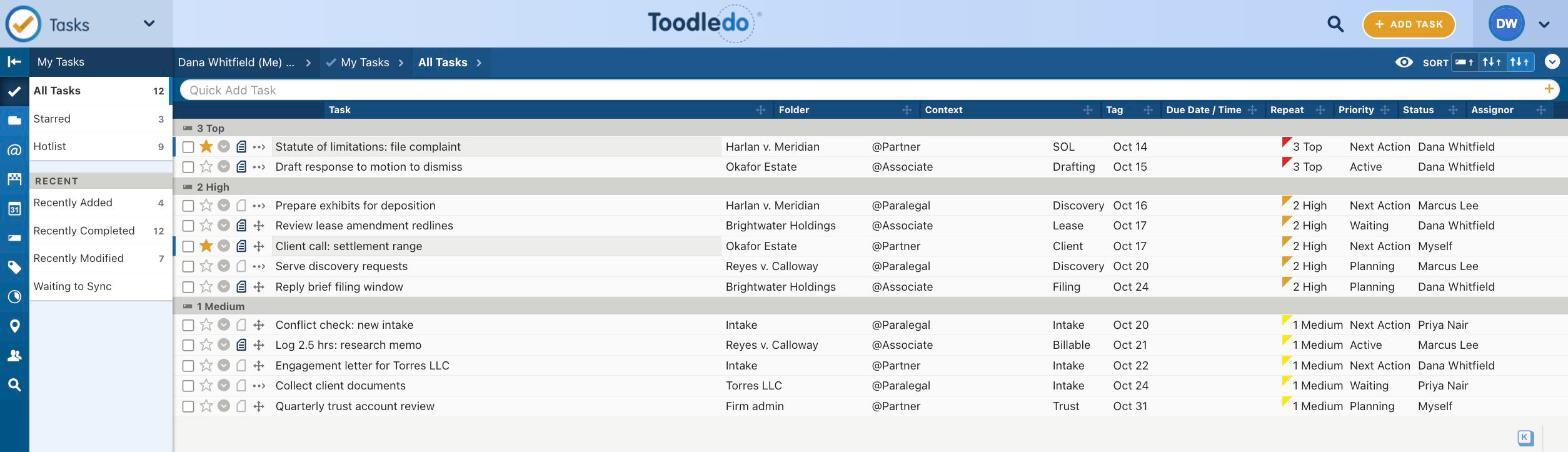
Every matter, deadline and hand-off in one view.

Folders are matters, contexts are roles, and each task carries its due date, priority and status, so a partner can see the next action at a glance.

tasks.toodledo.com
Toodledo web app showing a law firm's matters grouped by priority with partner, associate and paralegal contexts

The Toodledo web app (tasks.toodledo.com) with sample data for a fictional firm. Client and matter names are examples.

Three problems Toodledo helps with

Case chaos, under control.

Track every billable hour

A folder per matter, time-on-task notes and the built-in timer — the data your timekeeping software wants, captured as you do the work. Track time by task and keep it organized by matter.

Hand off between staff cleanly

Shared task lists, status fields and contextual notes. Paralegal to associate to partner — assign, monitor and review case tasks so nothing gets lost in a chat thread.

Take control of filing windows

Recurring tasks that repeat from the due date or from completion. Alarms by email, push and SMS ahead of statute-of-limitations and other deadlines.

A command center for every matter

Organize cases with folders, subtasks and notes.

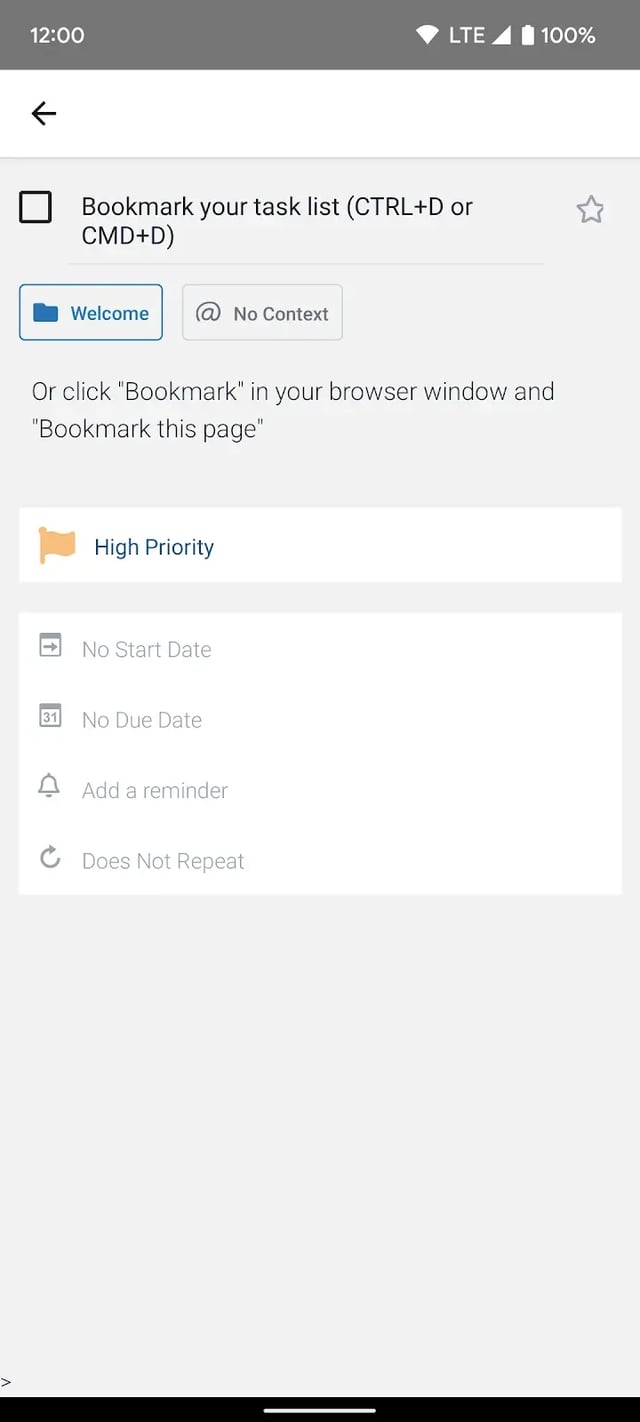
One folder per matter. Subtasks for every filing, hearing and follow-up. Notes and attachments on the task itself, so the context travels with the work. Private folders keep sensitive matters away from staff who shouldn't see them.

Saved searches give each person their own view — “everything due this week by attorney”, “awaiting client”, “unbilled time” — in one click.

See how collaboration works →
Task detail in the Toodledo app
Customizable shared to-do lists

One shared list per matter, shaped to how your firm works.

Generic task apps give a law firm one flat list. Toodledo lets each firm customize shared to-do lists around matters, roles and deadlines, without building a system or hiring an admin.

Clear ownership

Every task has one owner, a due date and a status: next action, waiting on client, waiting on court, on hold or done. Anyone can see who has the next step on a matter without a status meeting.

Flexible workflows

Folders for matters, contexts for roles (partner, associate, paralegal), tags for practice areas, and 14 built-in attributes. Each person saves their own views, such as "my filings due this week" or "everything awaiting client".

Coordinated execution

Share tasks with colleagues, choose view, assign or edit permissions per person, and keep partner-only matters in private folders. Recurring deadlines repeat from the due date or completion, so nothing stacks up.

How do customizable to-do lists improve team collaboration? They put ownership, status and context on each task, let every person filter shared work their own way, and match access to who should see each matter. For a law firm, that means fewer dropped hand-offs between paralegals, associates and partners, and fewer "where is this?" emails. Compare customizable team to-do list apps →
Watch · 33 seconds

Stop losing client follow-ups.

Rollout

Simple to set up.

Stand up your matter board

Create a folder for each active matter, plus folders for courts and pending intakes. Task templates let you reuse a standard checklist.

Invite the team

Invite collaborators and choose view, assign or edit permissions for each person. The number of collaborators depends on your plan; Business is for larger teams.

Connect your calendar

Sync with Google Calendar or iCal, and use the public developer API for custom connections.

Security & access controls

Control who sees what.

Sharing controls built into your account. As with any cloud tool, avoid storing highly sensitive data such as confidential company secrets.

Read the security overview
Talk to us

Stop losing partners' hours to admin.

Start free, or schedule a free strategy session — no credit card required.

Have questions? We're here to help.

Tell us about your firm and we'll get back to you — or book a strategy call directly.

Stop losing partners' hours to admin.

Free plan available. No credit card. Cancel anytime.

Free plan available · No credit card · Export your data anytime